What Are Co-Pilots and How to Use Them
Written By Team Streamalive
Last updated 11 months ago
StreamAlive allows you to invite a co-pilot to collaborate on running your live session, enhancing your presentation and audience engagement. This functionality is available for in-person and other online platforms.
Benefits of Using a Co-Pilot:
Two co-pilots per session: You can invite up to two co-pilots to collaborate on your session, providing additional support and expertise.
Shared workload: Distribute responsibilities during your live session, allowing you to focus on specific aspects while your co-pilot handles others
Enhanced audience engagement: Co-pilots can assist with responding to chat messages, managing polls and quizzes, and keeping the audience engaged throughout the session.
Improved presentation flow: With two individuals managing the session, you can ensure a smoother and more efficient presentation flow.
Adding a Co-Pilot:
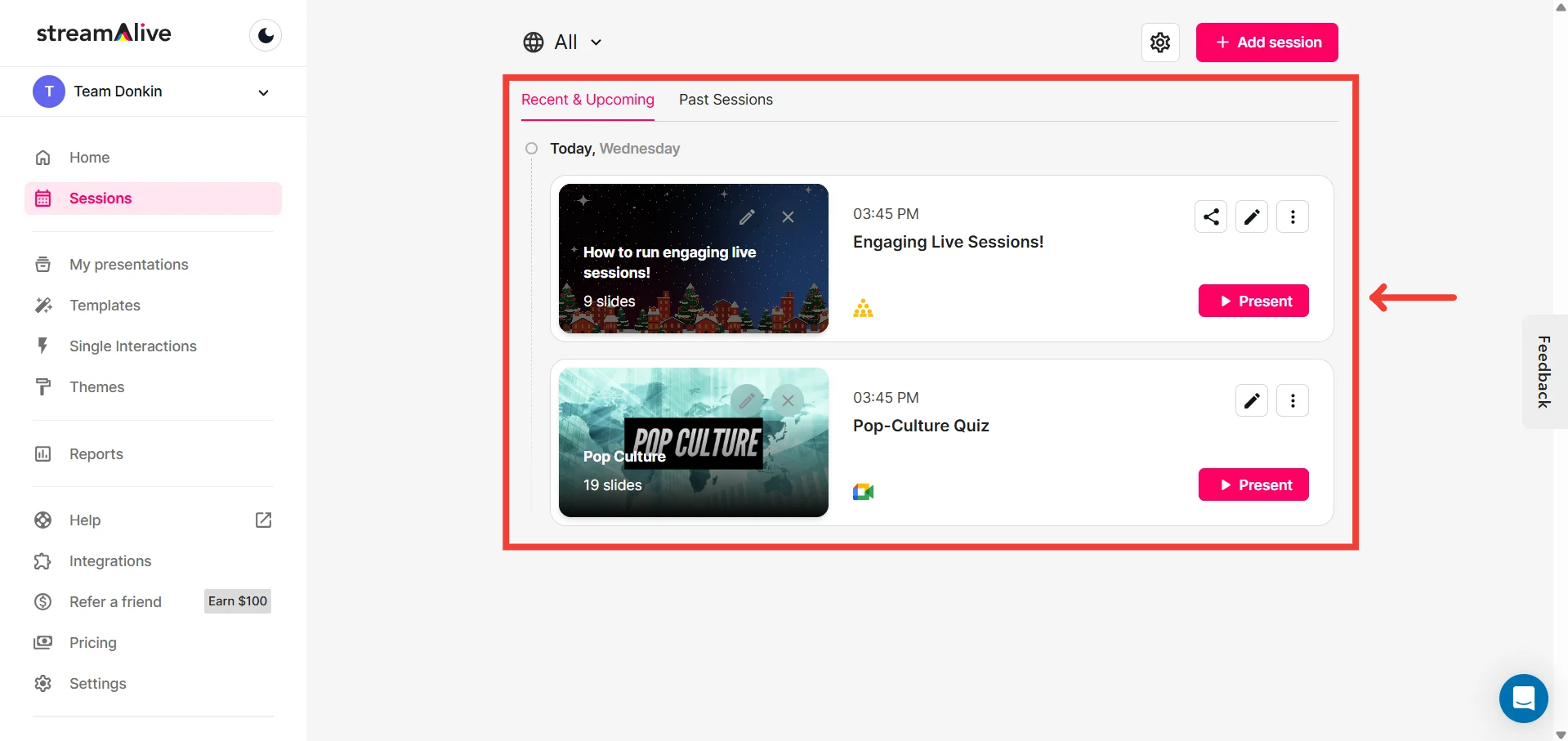
Navigate to the Sessions page: Locate your upcoming or ongoing session on the StreamAlive platform.
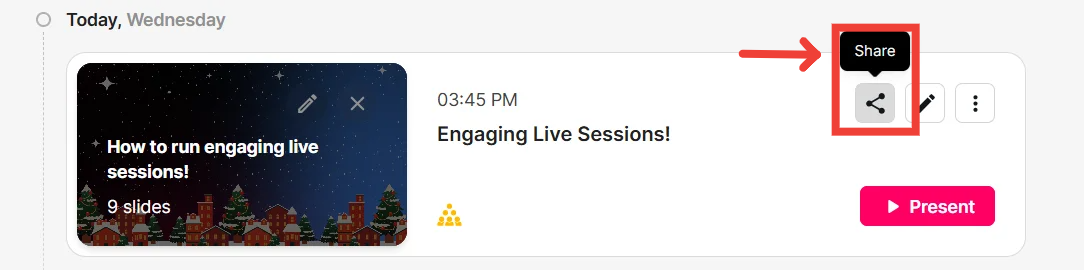
Access the Share button: Look for the Share button associated with your chosen session.
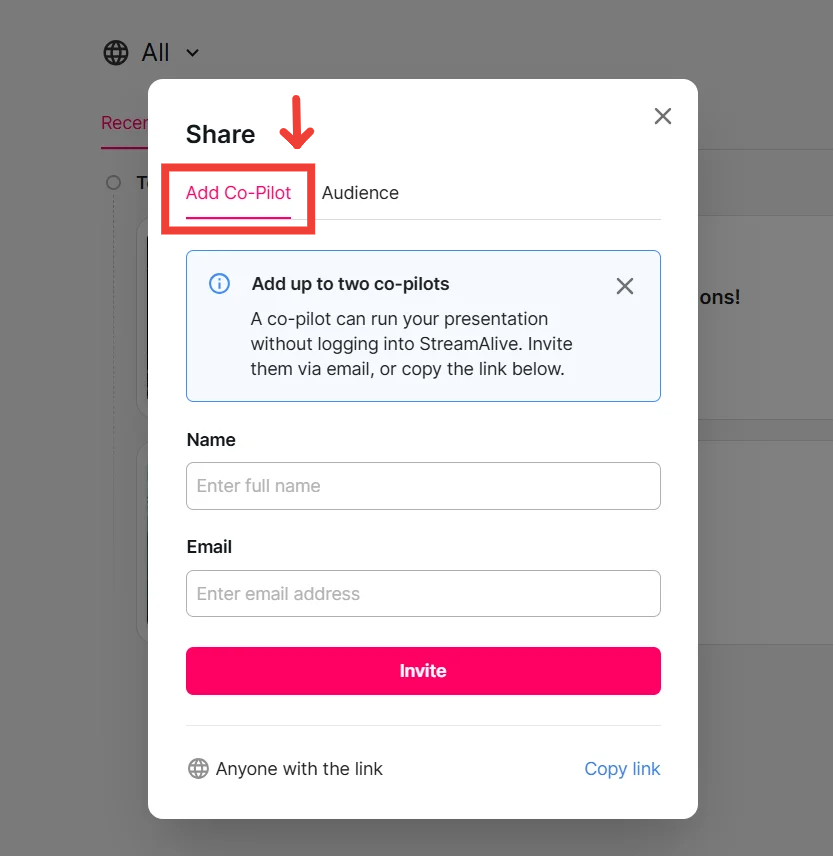
Select "Add Co-Pilot": From the Share menu, view the "Add Co-Pilot" tab.
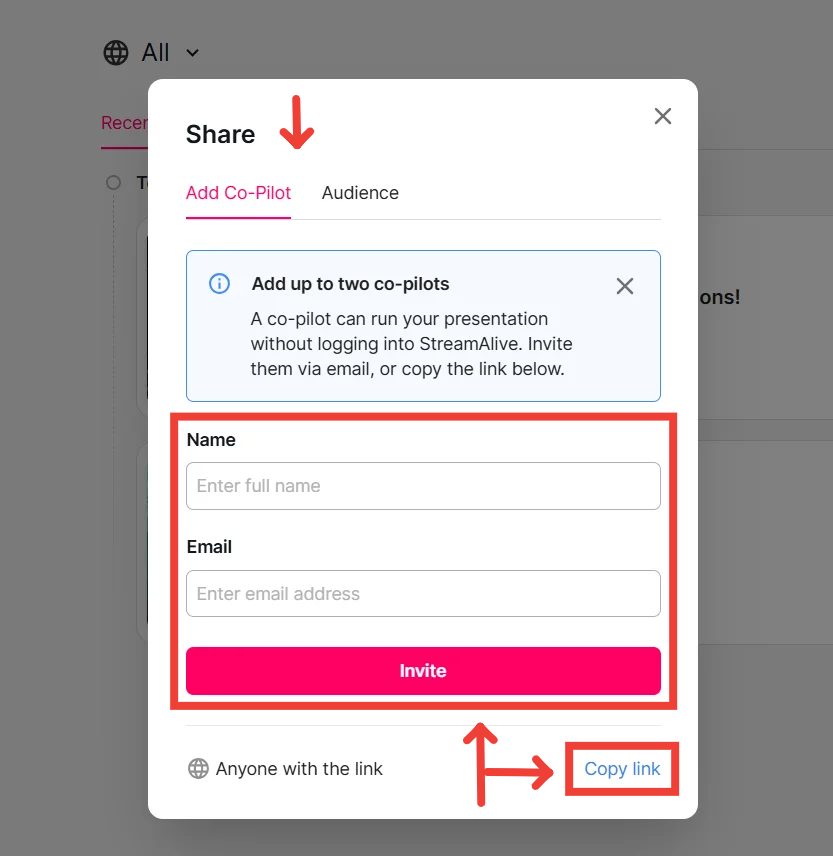
Choose your invitation method: StreamAlive offers two ways to invite co-pilots:
Email invitation: Enter your co-pilot's email address and click "Send Invitation". They will receive an email with instructions to join the session as a co-pilot.
Shareable link: Click "Copy Link" to generate a unique link. Share this link with your co-pilot, and they can access the session directly through the link.
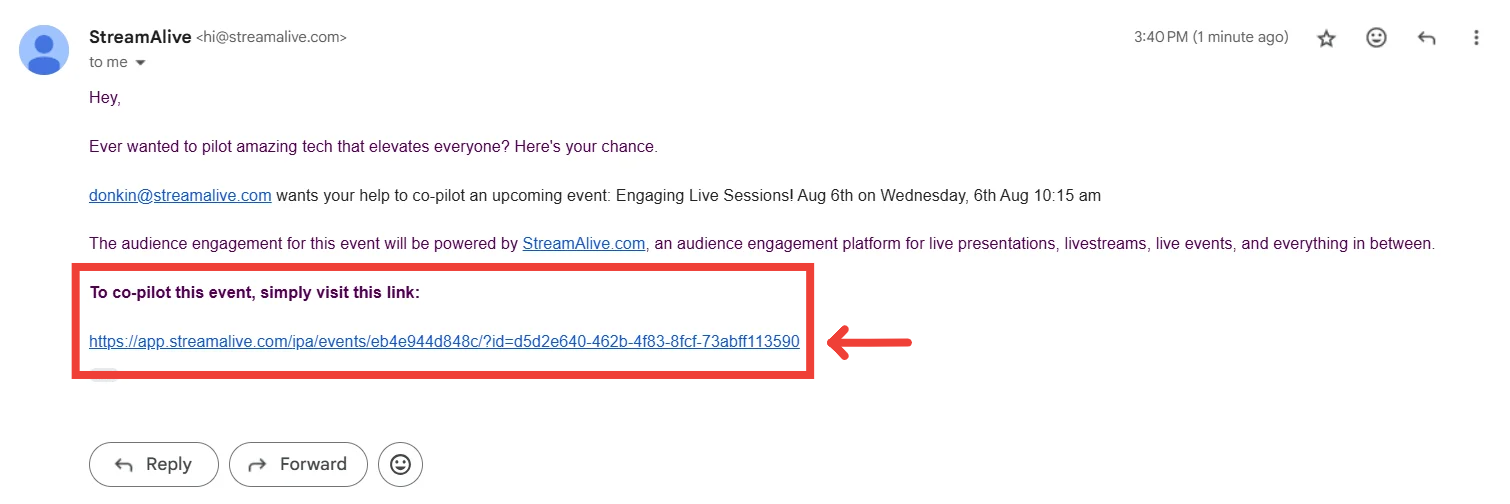
Open the link: To connect to the session, click on the Co-Pilot link shared with you.
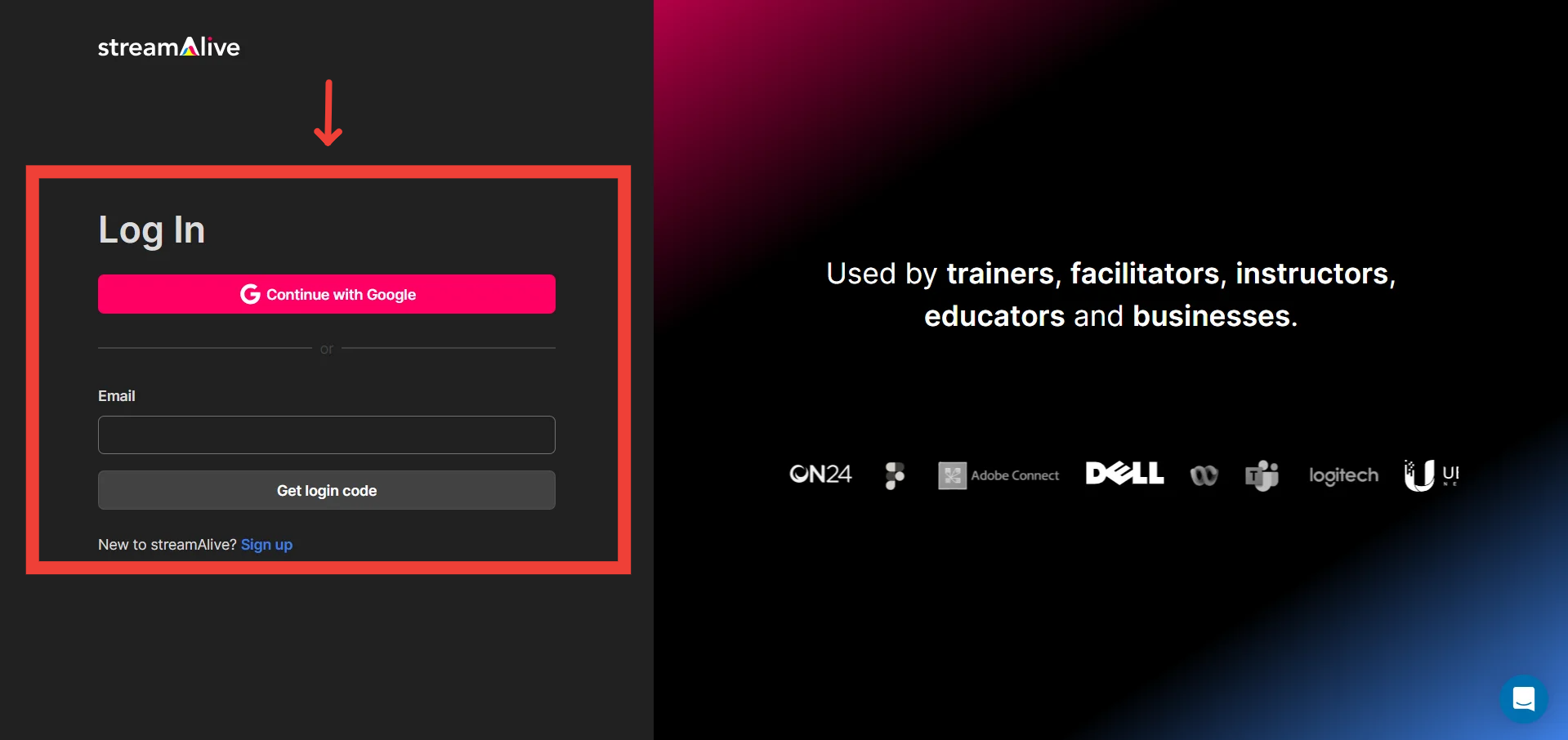
Log in using your StreamAlive Account
Click on "Start Presentation"
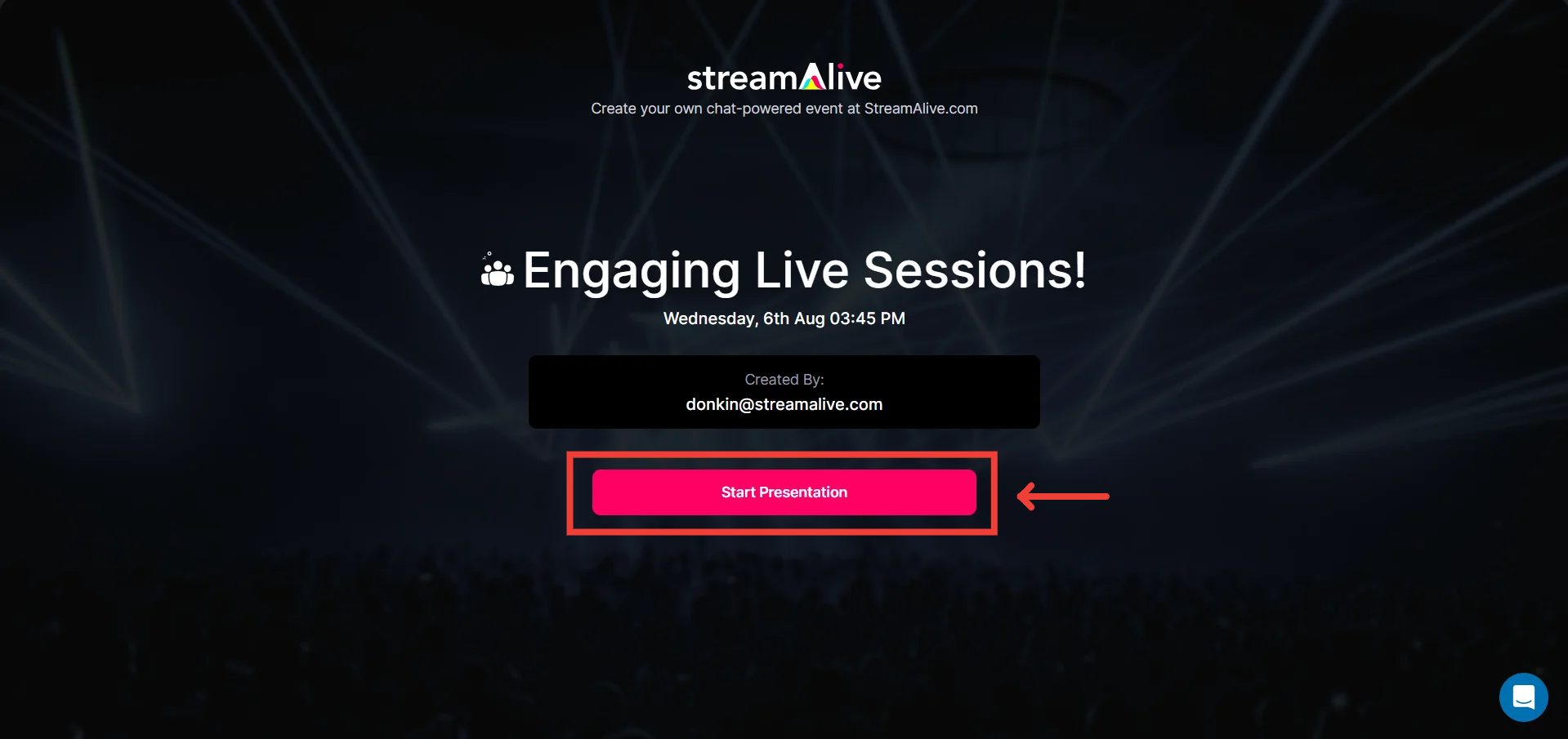
The Presentation Live Screen for that session will open up for your co-pilot

Remember:
Co-pilots cannot access your StreamAlive account details or make changes to your account settings.
Ensure your co-pilot has a stable internet connection for a seamless collaboration experience.
By leveraging StreamAlive's co-pilot feature, you can empower your presentations, collaborate effectively, and deliver a more engaging and impactful experience for your audience.